

 United Kingdom
 Australia
 Canada


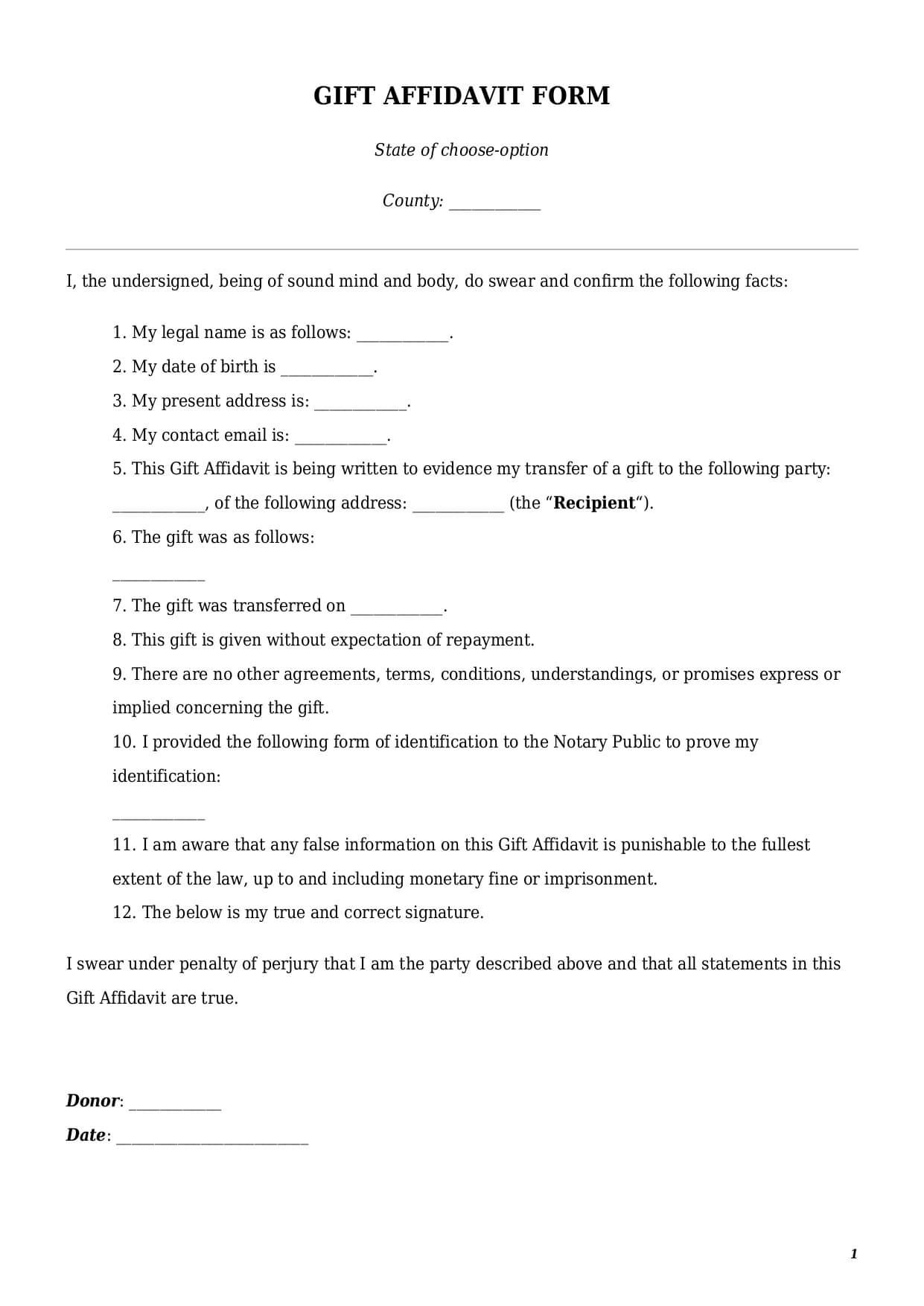
What is a gift affidavit template?
A gift affidavit is a sworn legal statement confirming that one party has voluntarily transferred ownership of certain property to another party without any expectation of repayment. Parties can use this document to donate various types of property, including vehicles, money, real estate, etc.
The primary purpose of a gift affidavit is to provide legal proof for the nature of a transfer by stating that this is not a loan or any other transaction like a sale. This is an important document for tax purposes.
The parties involved in a gift affidavit template are a donor and a recipient. A donor is an individual who confirms under oath that the transfer is voluntary and without expectation of repayment. In some cases a donor can also be a nonprofit organization, like a charitable union or religious institution. The recipient is always a person who receives a gift.
An affidavit of gift template cannot be signed between limited liability companies, partnerships, and some types of trusts.
How to draft a gift affidavit form?
A gift affidavit form is a simple document that requires attention to detail. Inclusion of the elements listed below is essential to ensure the document is complete and valid:
- Date of signing: The text of a document shall include the date on which a donor signs it.
- Signature: Along with a date, a donor shall include a signature (either by hand or using online e-signature tools).
- Donor Information: An affidavit of gift template has to contain the full name, address, and contact email or phone number of a donor.
- Recipient Information: The text of a document must lay out details of a person receiving a gift, including full name, address, and contact information.
- Gift details: A well-drafted template must contain a detailed description of a gift, as well as the date on which a gift has been transferred.
- Notarization: Every gift affidavit shall be notarized to become valid.
How to customize an affidavit template at FasterDraft?
To get a fully customized legal document, follow a few easy steps below:
- Click the “Create Document” button.
- Answer simple questions in the form.
- Select a template’s format—Gift Affidavit Form PDF or Word.
- Make a payment.
- E-sign, download, print, and use the document. Please remember to notarize it to make the document fully valid.